
Getting started
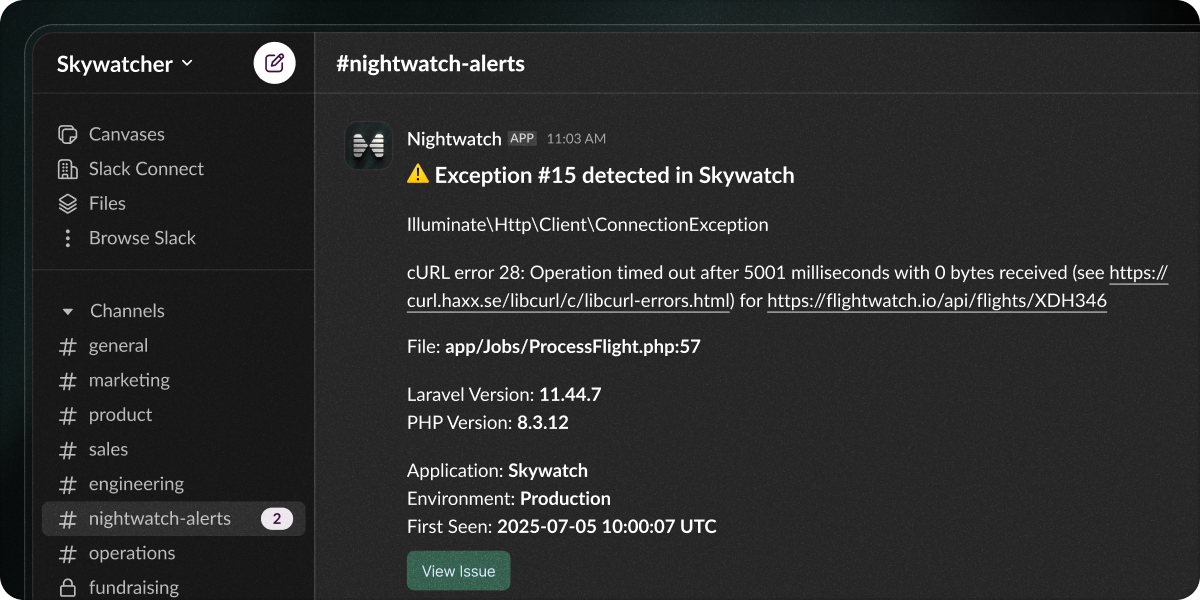
Connect Nightwatch to your Slack workspace to receive instant notifications about new issues, reopened issues, and status updates for any application in your organization.Prerequisite: You’ll need permission to install apps in your Slack workspace.
1
Navigate to settings
From your Nightwatch dashboard, click Settings.
2
Select your application
Choose the application you want to receive Slack notifications for.
3
Connect to Slack
In the Issues settings, find the Integration area and click Add to Slack.
4
Choose your channel
Slack will open asking you to select a channel for notifications. Select your channel and click Allow.
5
Choose your notifications
You will be redirected back to Nightwatch, where you can configure which events to send to Slack:
- New issues
- Reopened issues
- Status changes
Reconnecting or disconnecting
1
Reconnect to Slack
Having connection issues? Go to your application settings and click
Reconnect to Slack to re-authorize.
2
Disconnect from Slack
To remove the integration, go to your application settings and click
Disconnect from Slack. You can always reconnect later.